

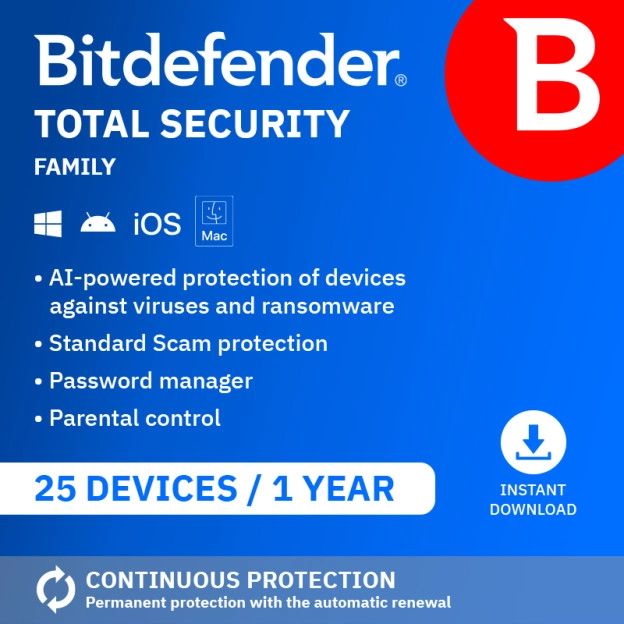
Bitdefender Total Security Family 2026 | 25 Devices | 1 Year






- Money back guarantee
- Free installation service
- 100% legitimate licence keys
-
Compatible with 25 devices (5 accounts)
-
Parental controls and family dashboard
-
Firewall and webcam protection
-
VPN: 200 MB/day across 5 accounts
Description
Bitdefender Total Security Family 2026: protection for the whole family, on every device
Every family member has their own devices, their own online habits and their own risks. A teenager on social media, a child downloading games, a partner working from home, a parent doing online banking: every device is a potential target. Bitdefender Total Security Family 2026 protects up to 25 devices at once, with a family dashboard to manage security per family member, parental controls for your children and webcam protection for everyone.
Bitdefender Total Security Family 2026 detects threats using AI technology, without slowing down your family's devices. Each member gets their own Bitdefender account, with their own settings and their own protection, all manageable from your family dashboard.
Please note: this version is
not suitable for activation in the United Kingdom.
UK customers can purchase
Bitdefender Total Security Family 2026 | 25 Devices | 1 Year | UK Edition
here.
We tested Bitdefender Total Security Family 2026 ourselves on a Windows laptop on 2 July 2026. Read our full findings further down this page.
Want unlimited VPN and AI scam detection for the whole family too?
Upgrade to Bitdefender Premium Security Family. You'll get unlimited VPN per member and AI scam detection, for the same 25 devices.
Proud Bitdefender partner
Because 2GO Software purchases directly from Bitdefender, we know exactly where your licence comes from and can guarantee 100% legitimate software. Not entirely satisfied with your purchase? Our specialists will work with you to find the right solution. Your licence can be transferred to another device, shared within your household and reinstalled as many times as you need.
Please note: after the initial period, your subscription renews automatically. You can easily turn this off yourself in your Bitdefender account.
Order Bitdefender Total Security Family 2026 today and protect your whole family in one overview.
What problems does Bitdefender Total Security Family 2026 solve?
Imagine having four family members at home, each with multiple devices. One downloads apps that aren't always safe, another clicks links in messages without thinking twice, and you want to keep oversight as the family administrator without having to sit behind every screen. At the same time, you want to guide your children's online behaviour, without removing their privacy entirely.
Bitdefender Total Security Family 2026 addresses this by giving each family member their own secure account, while you as administrator keep oversight through the family dashboard. You set parental controls per child, see which devices are protected, and manage everything from one central place.
Who is Bitdefender Total Security Family 2026 suitable for?
Bitdefender Total Security Family 2026 is suitable for families who want to protect up to 25 devices while setting up an individual account and security settings for each family member. With parental controls per child and a family dashboard for the administrator, this package is specifically designed for households with multiple users and varying needs. Suitable for home use and on the go.
When is Bitdefender Total Security Family 2026 not the best choice?
Don't have children and don't need to set up parental controls? Then the Family variant is more than you need. In that case, Bitdefender Total Security Individual is the better fit. Want unlimited VPN and AI scam detection per family member as well? Then Bitdefender Premium Security Family is the logical next step.
Which Bitdefender version suits you?
Choose Bitdefender Total Security Family 2026 if you:
- have a family with multiple devices and multiple users who each want their own account
- want to set up and manage parental controls per child through a central dashboard
- want to protect up to 25 devices in one family subscription
Choose Bitdefender Total Security Individual if you:
- don't have children or don't need parental controls and 5 devices are enough
Choose Bitdefender Premium Security Family if you:
- also want unlimited VPN and AI scam detection per family member
View Bitdefender Premium Security Family
Bitdefender Total Security Family 2026 tested by 2GO Software on 2 July 2026
We tested Bitdefender Total Security Family 2026 on a Windows laptop. We looked at activating the licence, setting up the family dashboard, parental controls and daily use.
Activating and installing went very smoothly.
What did we notice when using Bitdefender Total Security Family 2026?
Setting up parental controls was fairly easy. You create a profile for each child and install parental control on that child's device. From the family dashboard, you see how long each child has been online and can set time limits and focus hours with specific days and times. You can restrict internet access by website or category, and on Android and iOS you can also see the device's location.
In your Bitdefender Central account, you see all members of your family subscription and can manage each member individually. Each member has their own account. You can invite up to 4 additional members by email, which together with yourself results in 5 members. Child profiles are created as a separate category under Parental Control and are accessible to the family administrator.
Something else that stood out: you can create multiple password vaults within the subscription, one per account. That's a feature not available in many other security packages.
Who we do and do not recommend Bitdefender Total Security Family 2026 to
Bitdefender Total Security Family 2026 is a good choice for families who want to protect all devices of all members with one subscription, while also wanting parental controls and a central family dashboard. The package is extensive but remains manageable thanks to the clear dashboard structure.
Don't have children or don't need a family dashboard? Then Total Security Individual or Standard is a more efficient choice.
Protection against the latest threats with Bitdefender Total Security Family 2026
Bitdefender Total Security Family 2026 offers the same comprehensive protection as Total Security Standard, but scalable for an entire family: up to 25 devices spread across 5 accounts, each with their own settings, their own password vault and their own parental controls, all manageable from one central family dashboard.
Bitdefender Total Security Family 2026 uses behavioural detection (Active Threat Defense) to flag suspicious activity on any device immediately, before any damage occurs. Network Threat Prevention identifies attacks before they reach a system. More than 1,000 phishing sites are analysed and blocked every day.
Family dashboard and parental controls
From the family dashboard, you manage all members of your family subscription. For each child, you set time limits, focus hours and content filters. On Android and iOS, your child's device location is also visible. The administrator has full control, while other members benefit from the protection without administrator rights.
Anti-intrusion firewall, webcam & microphone protection and password manager per member
The anti-intrusion firewall monitors all network connections from apps on every device and blocks unauthorised access. Webcam and microphone protection alerts each family member as soon as an app tries to gain unauthorised access to the camera or microphone. Each member with their own Bitdefender account has access to their own separate password vault through SecurePass, which isn't possible with most other security packages. This keeps one user's passwords separate from another's, even within the same family subscription.
Multi-layered ransomware protection and Safe Files
Files on all devices are protected through multiple layers of security. Safe Files protects folders against unauthorised changes from ransomware.
Cryptomining protection
Cryptomining malware secretly uses your device's processing power to mine cryptocurrency for someone else, noticeably slowing down your system and increasing energy consumption. Bitdefender Total Security Family detects and blocks this type of malware, so your devices' processing power stays available for you.
Safe banking, browsing and public networks
SafePay opens a sandboxed browsing environment for online banking and purchases, so financial details aren't intercepted by other software on the device. Anti-tracker automatically blocks trackers that monitor browsing behaviour for commercial purposes, active immediately after installation via a browser extension. Wi-Fi Security Advisor checks the network a device connects to for security holes, so every family member stays protected even on public Wi-Fi.
Performance and device optimisation
Scans run largely in the cloud, placing minimal load on devices. Bitdefender Photon adapts to each system's hardware, so the software runs in the background without slowing devices down. In addition, OneClick Optimizer removes unnecessary files in one step, so devices across the family stay secure and feel faster.
How does the automatic renewal of Bitdefender Total Security Family 2026 work?
After purchase, Bitdefender will ask you to add a credit card, bank account or PayPal to your account. This is required to activate protection and enable automatic renewal. Do not want to renew? Simply disable automatic renewal in your Bitdefender account. No additional charges are made during the first prepaid period. If the renewal rate changes in the future, you will always receive an email before any new payment is processed.
Why buy Bitdefender Total Security Family 2026 from 2GO Software?
2GO Software is an official Bitdefender partner. Because we purchase directly from Bitdefender, we know exactly where your licence originates and can guarantee 100% legitimate software. Our specialists are available 7 days a week, so you get expert help whenever you need it. If you are not fully satisfied with your purchase, we work with you to find a suitable solution. Read more about all our guarantees on the Your 10-star experience page.
FAQ
Loading...
Product information
Loading...
 Activate renew alert >
 Do you want to know more or are you not quite sure what to pick? Call our software specialists for the best advice.
Call me back
Summarized
-
Compatible with 25 devices (5 accounts)
-
Parental controls and family dashboard
-
Firewall and webcam protection
-
VPN: 200 MB/day across 5 accounts
Buy Bitdefender at Licentie2GO
-
Belongs to the most effective security software
-
Elected best antivirus product multiple times
-
Renew without losing any remaining days
-
Customized installation manuals for installing your software yourself
