

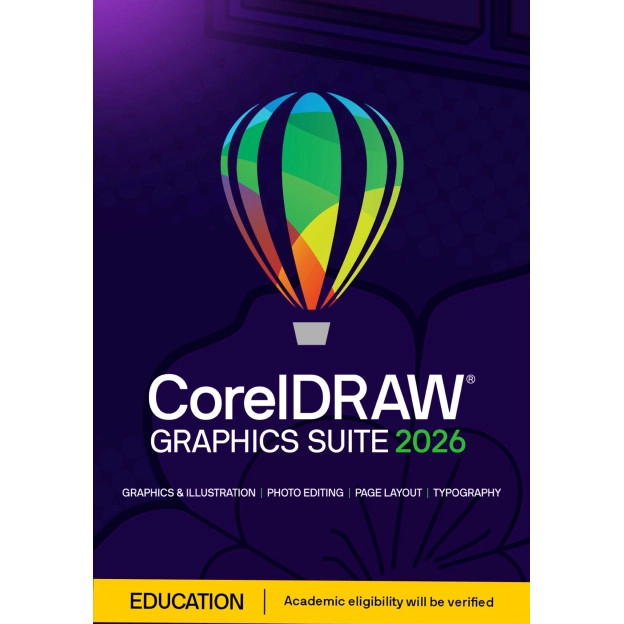
CorelDRAW Graphics Suite 2026 | Student version | Windows & Mac




-
One-time purchase
-
Available for 1 Windows or Mac PC
-
Equipped with new features, improved performance, and no delays
-
Generate AI images, remix visuals and remove backgrounds
-
Over 1400 Google Fonts families for endless typography options
-
Vector illustration, layout and photo editing in one integrated design environment
-
Includes 2,000 AI credits
Description
CorelDRAW Graphics Suite 2026 Student Version: Unlock your creative potential
Discover the latest CorelDRAW Graphics Suite 2026, the trusted choice for anyone who wants to work professionally with graphic design. This version introduces powerful AI tools that let you generate images from text, remix existing designs and remove backgrounds with a single click. Move from idea to final result faster than ever.
Exclusive for Students, Teachers, and Educational Staff
IMPORTANT! This product is exclusively available to students, teachers, and supporting (school) staff. It cannot be used by regular consumers or businesses. Check the full product description via the link to see if you qualify and how to verify your eligibility.
Looking for the standard version for personal and business users? Visit: CorelDRAW Graphics Suite 2026 - Windows - Mac.
This student version of CorelDRAW Graphics Suite 2026 is purchased once and used without recurring costs. You benefit from extensive AI features to generate and edit images and automatically remove backgrounds. Suitable for Windows and Mac, so you can work flexibly on the platform of your choice.
Thanks to improved performance, a modern user interface and smart workflow optimisations, CorelDRAW Graphics Suite 2026 Student Version offers a stable and fast design environment for both experienced designers and ambitious beginners.
More and more creatives are choosing CorelDRAW Graphics Suite 2026 Student Version for its reliability, innovation and ease of use. Order quickly and securely today from 2GO Software and discover the difference for yourself.
When are you eligible for this Student and Teacher Edition?
If you want to be eligible for the Student & Teacher Edition, you are (as the name suggests) a student or teacher. Below we explain in which situation Corel will grant you permission to use this product. Corel does the verification, 2GO Software is not a party in this process.
For lecturers and support staff
For lecturers, which also includes faculty and support staff, Corel will ask for a school pass (with your name on it) or, for example, a payslip from the educational institution.
For students
You must be at least 13 years old and enrolled in one of the following types of education. Corel will check this enrollment:
- Higher education/university: A recognized public or private university or college of higher education (including vocational education institutions and other educational institutions). Corel will ask for a proof of enrollment with your own details and the details of the educational institution.
- Basic or secondary education: A recognized public or private full-time primary or secondary school. Corel will ask for proof of enrollment, e.g. with a school pass.
CorelDRAW Graphics Suite 2026 Student Version: A complete design solution
- CorelDRAW® - Professional software for vector illustration and layout
- Corel PHOTO-PAINT™ - Advanced photo editing and pixel-based design
- Corel Font Manager™ - Easily find and manage fonts
- PowerTRACE™ - Intelligent conversion from bitmap to vector images
- CAPTURE™ - Screenshot tool for quick screen captures (Windows only)
- CorelDRAW.app™ for iPad - Design on the go with the CorelDRAW iPad app
- AfterShot™ HDR - Powerful RAW photo editing for ultimate control
- Over 7,000 templates, clipart items and digital images
- 1,000+ high-resolution photos
- Extensive library of TrueType and OpenType fonts
- 200 professionally designed templates ready to use
- 600+ high-quality fountain, vector and bitmap fills
New and improved features in CorelDRAW Graphics Suite 2026 Student Version
Generate images with AI
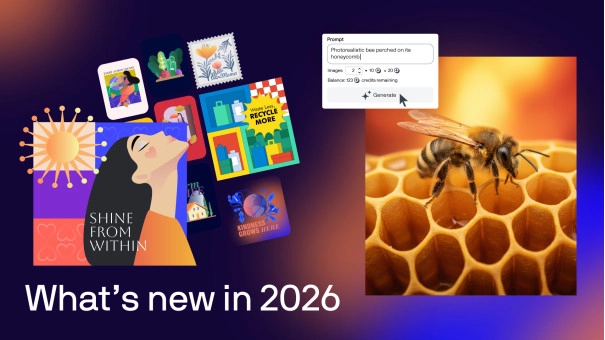
Create AI-generated images from scratch or based on existing content with the new AI Generate docker in CorelDRAW Graphics Suite 2026 and PHOTO-PAINT. Use a text prompt, choose from models such as Flux, Stable Diffusion and Nano Banana, and set the aspect ratio and number of variations.
Generate AI images based on content
Select an object or import a reference image and let AI reshape it. Decide how closely the AI follows the original and guide the result with your own prompt.
Remix images with AI
Quickly adjust visuals using text instructions. Replace elements, place subjects in a different environment or create variations with the ‘Remix Image’ tab.
Remove background with AI
Remove backgrounds with a single click. The AI tool works accurately around fine details such as hair and fabric, delivering a clean cut-out image instantly.
Mask images with AI
Create precise selections with AI-powered subject selection and clipping masks in PHOTO-PAINT. Refine masks manually where required.
Improved performance and stability
CorelDRAW Graphics Suite 2026 launches up to three times faster. Font editing runs more smoothly and page and export settings are structured more efficiently. New zoom features make text editing easier.
Modern user interface
The redesigned interface offers consistent navigation. Icons and controls have been refined based on user feedback.
Please note: The student version may only be used for educational purposes and may not be used commercially.
Subscription versus one-off purchase
With a one-off purchase of CorelDRAW Graphics Suite 2026, you receive a perpetual version including a one-time allocation of 2,000 AI credits. This is ideal if you want to work without recurring costs and don’t require monthly updates.
If you choose a subscription, you receive 2,000 AI credits each month. This allows you to use generative AI tools continuously without interruption. Subscribers also receive exclusive extras, such as additional pixel brushes, extra templates and ongoing improvements within CorelDRAW Web. New features and optimisations are added continuously, so you always work with the most up-to-date version.
Complete design environment for Windows and Mac
CorelDRAW Graphics Suite 2026 combines vector illustration, multi-page layout, professional photo editing and advanced typography in one integrated workspace. Manage fonts efficiently, work with extensive templates and export to a wide range of file formats for print and digital publishing.
The suite is available for Windows and Mac and supports a consistent workflow across different devices. Thanks to integrated learning tools and practical tips while working, new users can get started productively in no time.
Please note: The student version does not include all the advanced features of the commercial version.
Do you have questions about licences or differences between versions? Please contact our customer service for more information.
Reviews (11)
Loading...
Product information
Loading...
Do you want to know more or are you not quite sure what to pick? Call our software specialists for the best advice.
Call me back
Summarized
-
One-time purchase
-
Available for 1 Windows or Mac PC
-
Equipped with new features, improved performance, and no delays
-
Generate AI images, remix visuals and remove backgrounds
-
Over 1400 Google Fonts families for endless typography options
-
Vector illustration, layout and photo editing in one integrated design environment
-
Includes 2,000 AI credits
Buy Corel at Licentie2GO
-
Guaranteed legitimate software - 2GO Software is a Corel Partner
-
Helpdesk: Available 7 days a week
-
Reinstallation / Transfer to another PC always possible
-
Extensive support via customised manual
